After a long and puzzling wait, a more useful macOS Finder Recents view
I switched to macOS when I joined Apple in late 2009. I never missed Windows since. My new colleague Ruchir showed me some Finder tricks and I was sold. Side story: Ruchir joined Apple two weeks before me but seemed to know everything.
I’ve always been puzzled that sometime a newly created file is not shown in Finder’s Recents view. Like when I use macOS’ native Image Capture app to scan a document to a folder. The scanned file never appears in Recents until after I go find and open the file. Not so useful…
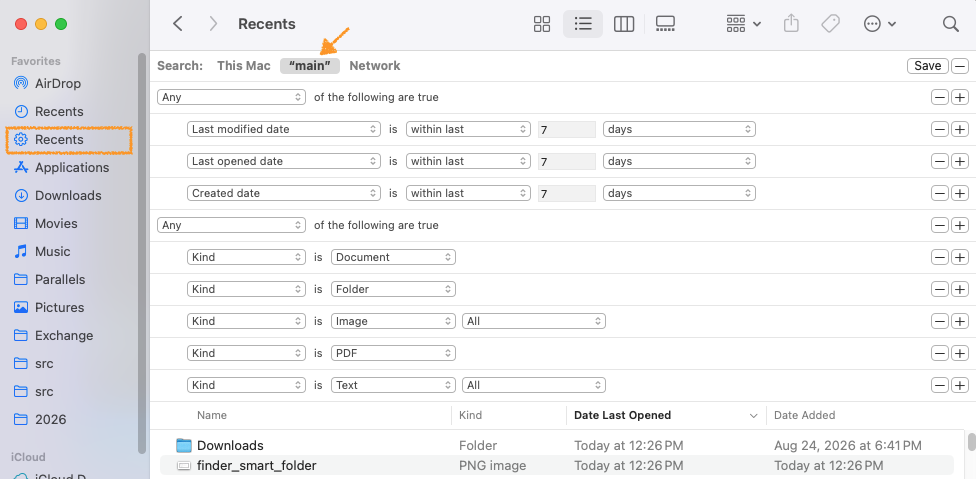
Today, with Claude’s help, I realized a Finder Smart Folder can do better, much better, for me than Apple Finder’s native Recents.
Here are the Smart Folder settings I’m testing. Tip: hold option key when
clicking + to generate the All or Any option. Save the search as a
Favorite. It reruns every time you open the view in Finder.
This is going to make working on my computer a little bit easier every day.