Lessons from the Edge: Optimizing YOLOv8 on an Intel Mac Mini
Beginning this week, I set out to build a “Vision Watcher”2 for my security cameras. I thought the challenge would be selecting from the many YOLO model3 and engine choices for object detection. I was wrong. The challenge became making everything (queueing, threading, video -> image region masking etc.) run in the background of a Mac Mini i7 that was already busy doing a dozen other things.
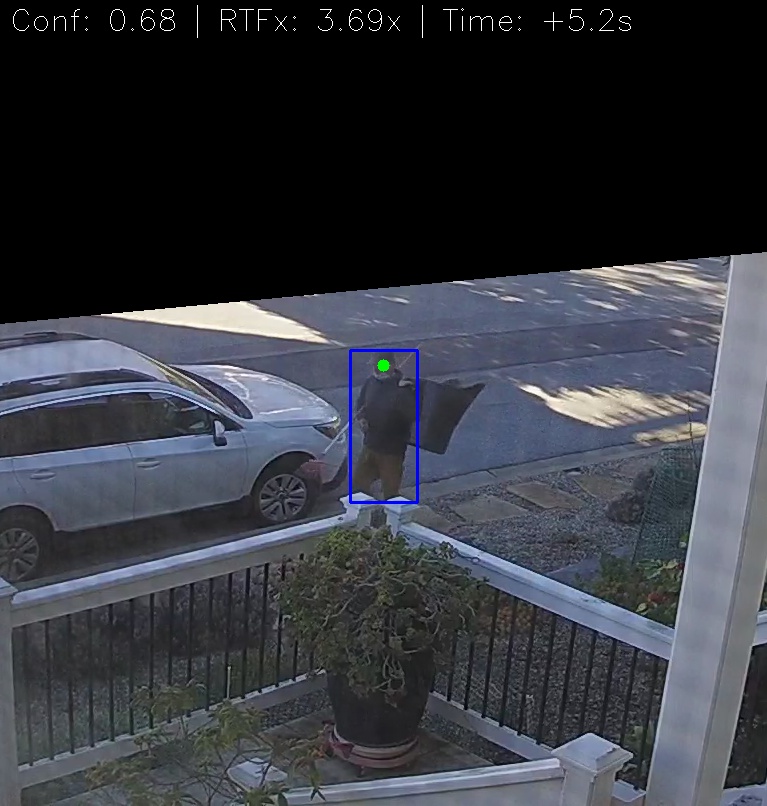
Here are some key lessons I learnt while moving this script from a “heavy prototype” to a “production-ready service”.
1. The OpenVINO engine
If you are running on Intel, skip using native .pt files. I benchmarked three engines:
- PyTorch (.pt): ~1.6x RTFx (Real-time factor).
- ONNX: Significant improvement and close to OpenVINO
- OpenVINO: 2.9x RTFx. By switching to OpenVINO, I didn’t just get faster alerts; I gave the Intel CPU “breathing room” to stay cool. The script now processes video three times faster than it is recorded.
2. Guarding the thermals (4-thread limit)
A 6-core i7 will happily try to use all 12 threads for a matrix multiplication, hitting thermal limits in seconds. To prevent this Mac Mini from thermal throttling, and slowing everything else down, I had to enforce strict thread limits at the OS and Engine level:
OMP_NUM_THREADS=4.intra_op_num_threads = 4inside the YOLO predictor.- launchd plist: specify
backgroundprocess and set thenicevalue.
This kept the fans quiet and the other apps on the machine snappy.
3. You only get what you measure
Initial testing often showed great speeds per frame, but those numbers lied. They didn’t account for the overhead of loading files, initializing the engine and environment for sustained performance, or the gaps between frames. I implemented a proper realtime-factor (RTFx) calculation to get a “True Average” that reflected the actual performance.
4. The engineering “gotchas”
- Masking: Don’t mask the image; mask the logic. Checking the center of a person’s head against a binary mask array is computationally “free” compared to running inference on a cropped region that the engine is not optimized to compute or to applying numpy math operations on the frame before inference.
- Stability: Never trust a file just because it appeared in a folder. I had to implement a
wait_for_file_stableloop to ensure the camera had finished writing the.mp4before trying to open the stream.
5. Pick your assistant carefully
Initially I started with OpenAI ChatGPT (v5.2) web GUI1 as programming coach and buddy. Eventually it got stuck trying to help with optimization and the performance got steadily worse (RTFx < 1.0 or non real-time!). It could not help me debug using the ONNX engine. So I switched to Google Gemini web GUI and the pace and results picked up dramatically. Next project I will start with Google Gemini.
Conclusion:
You definitely don’t need an NVIDIA GPU to do great computer vision. You just need to be intentional about your pipeline. By focusing on thread management, engine optimization, image processing and robust error handling, I turned an “AI experiment” into a reliable piece of home infrastructure that uses artificial intelligence to sift through heaps of captured video. Happy New Year all!
1 For this project I wanted to avoid using an IDE assistant like Cursor or VS Studio’s Copilot. e.g.: avoid automated inline code changes. Instead I wanted to take more hands-on approach flipping between manual code entry in the IDE and the assistant’s web page. I find this is a good working approach for heavier optimization work like this.
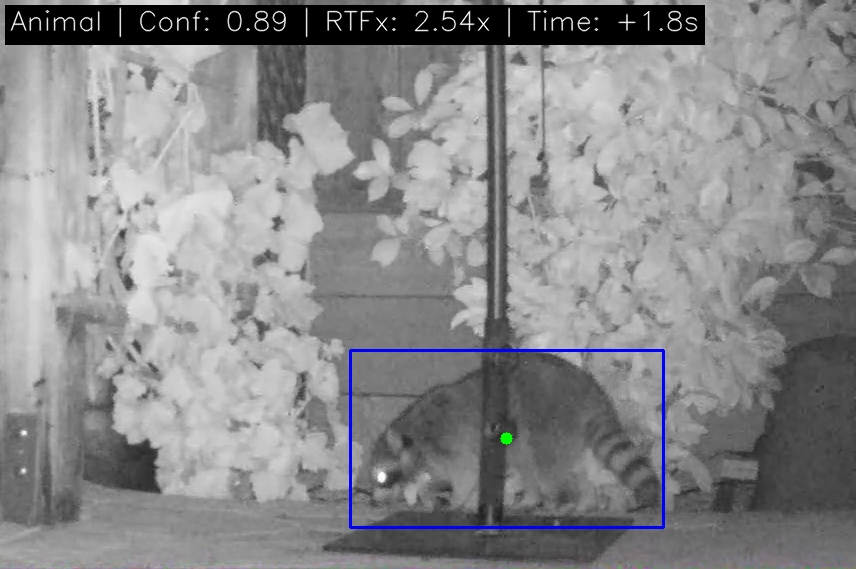
2 The project started with person detection. Later I added animal detection for the back yard camera using MegaDetector which works well with night-time video. I renamed the project “Vision Watcher”. Here’s a frequent visitor:
3 I switched later from YOLOv8 to YOLOv11 for person detection. It is faster (up to ~4 RTFx) than the YOLOv8 version. The animal detection uses a YOLOv10 model implementation of MegaDetector.